In the world of modern gaming, gaming PC bundles have become a go-to choice for players who want an all-in-one solution that balances performance, value, and convenience. Whether you’re new to PC gaming or looking to upgrade your current setup, choosing the right bundle with monitors and peripherals can make a significant difference in your overall experience. But with so many options available, how do you ensure you’re getting the best performance for your money?
Let’s dive deep into the key factors you should prioritize when selecting a gaming PC bundle, from essential PC components to monitor specifications and high-quality accessories.
1. Understanding What a Gaming PC Bundle Includes
A gaming PC bundle typically includes a prebuilt gaming PC, one or more monitors, and essential peripherals such as a keyboard, mouse, and headset. Some premium bundles may even include RGB lighting kits, mousepads, or gaming chairs.
The goal of a bundle is convenience: everything is ready to go out of the box. However, not all bundles are created equal. Some may include entry-level components, while others feature top-tier hardware built for competitive gaming.
Before you buy, it’s important to analyze each item in the bundle to ensure it matches your gaming goals, especially the PC components powering the system.
2. Prioritize Core PC Components: The Heart of Performance
When comparing gaming PC bundles, your top priority should always be the internal hardware and the components that determine how well your system performs. Let’s break down the most important ones:
a. Processor (CPU)
The CPU handles all the calculations and background processes while you play. For gaming in 2025, aim for at least a 6-core or 8-core processor like the AMD Ryzen 5 5600X or Intel Core i5-13600K.
If you’re planning to stream or multitask, a higher-tier CPU like the Ryzen 7 or Intel i7 series will deliver smoother performance and faster processing.
b. Graphics Card (GPU)
The GPU is arguably the most critical component in a gaming PC. It directly affects your frame rates, visual quality, and overall gaming experience.
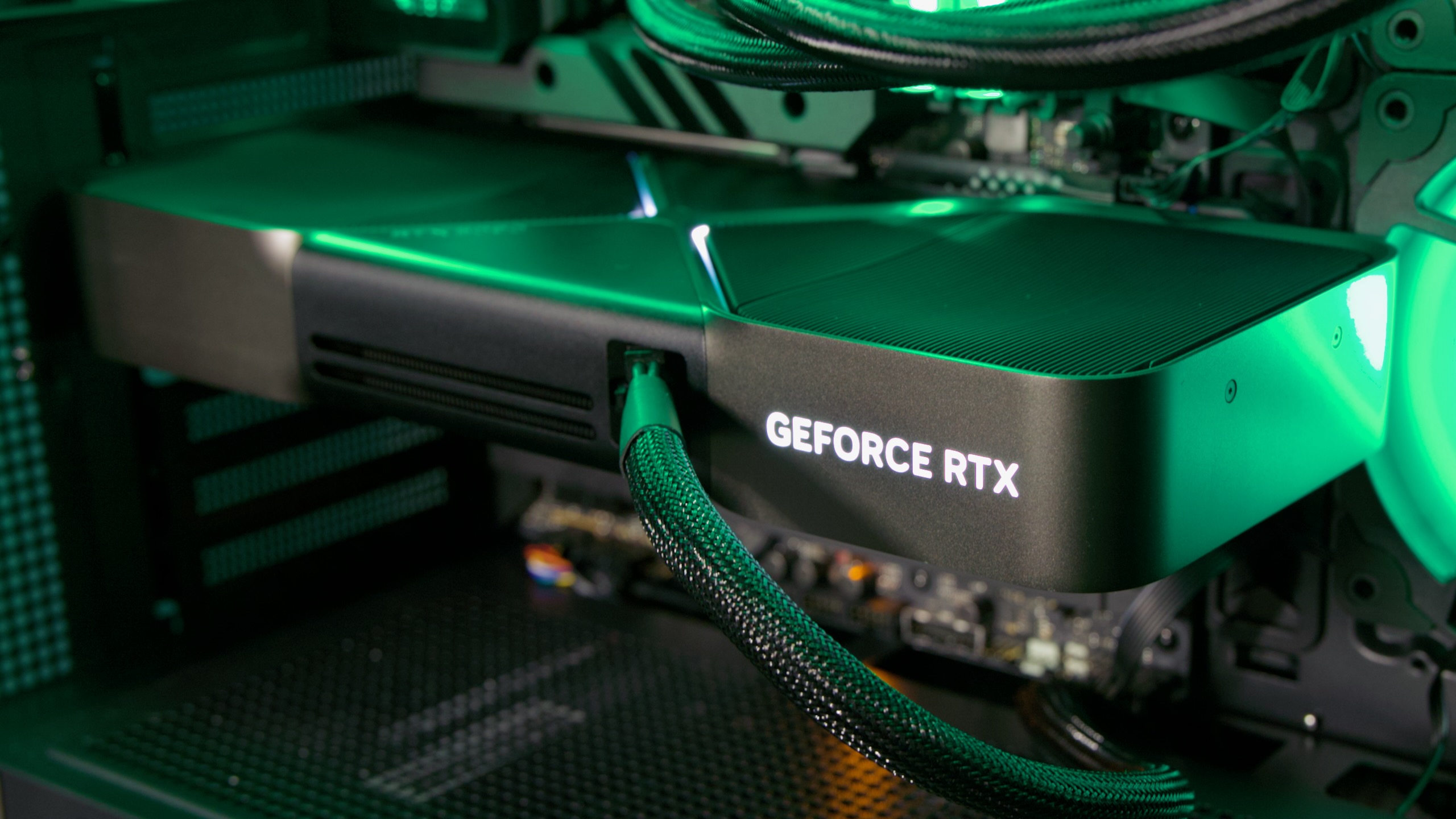
Look for bundles featuring modern GPUs like the NVIDIA RTX 4060, RTX 4070, or even RTX 5090 if you want next-gen performance for 4K and ray tracing.
The better the GPU, the more future-proof your setup will be ensuring your system handles upcoming AAA titles effortlessly.
c. Memory (RAM)
RAM plays a key role in keeping your games and applications running smoothly.
For 2025 standards, 16GB of DDR4 or DDR5 RAM is the sweet spot for gaming and multitasking. If you plan on running heavy applications or streaming, consider 32GB for added headroom.
d. Storage (SSD vs HDD)
Gone are the days when hard drives ruled the market. Always opt for an SSD (Solid State Drive) for faster boot times and shorter game load screens.
Many gaming PC bundles now include a 1TB NVMe SSD, which is both fast and spacious enough for modern titles.
e. Motherboard and Power Supply
While these might not seem as exciting as a GPU or CPU, they’re crucial for system stability.
Ensure your motherboard supports the latest ports and future upgrades, while the power supply (PSU) should be from a reliable brand with enough wattage (typically 600–750W for mid-range to high-end builds).
3. The Monitor: Visual Clarity and Speed Matter
A gaming PC bundle with a monitor is a major advantage; you won’t have to shop separately or worry about compatibility. However, not all monitors are equal, and picking the right one can dramatically improve your gameplay.
a. Refresh Rate
Look for monitors with at least a 144Hz refresh rate for smooth, responsive motion in fast-paced games like Valorant, Call of Duty, or Fortnite.
If you’re a competitive gamer, a 240Hz or 360Hz monitor will give you an edge with ultra-fast response times.
b. Resolution
Your monitor’s resolution should match the power of your PC components.
- 1080p: Great for budget builds and high FPS gameplay.
- 1440p (2K): The sweet spot for performance and visual clarity.
- 4K: Perfect for high-end rigs, especially those powered by RTX 4090 or RTX 5090 GPUs.
c. Panel Type
Choose IPS panels for accurate colors and better viewing angles or TN panels if you prioritize lightning-fast response times.
VA panels offer a balanced mix of contrast and performance, ideal for immersive single-player experiences.
4. Peripherals: Comfort, Quality, and Aesthetics
The peripherals included in a gaming PC bundle can vary widely in quality. While they may not impact raw performance, good peripherals enhance comfort and gameplay precision.
a. Keyboard
Look for mechanical keyboards with customizable RGB lighting and responsive switches.
Brands like Corsair, Razer, and Logitech often provide great options bundled with gaming PCs.
b. Mouse
A lightweight, high-DPI mouse is essential for precise aiming and smooth tracking.
Make sure it offers programmable buttons and ergonomic design for long gaming sessions.
c. Headset
A quality gaming headset ensures you hear every footstep, gunshot, and explosion with clarity.
Look for features like surround sound, noise cancellation, and comfortable ear padding.
5. Cooling and Airflow
High-performance PC components generate a lot of heat, especially when gaming for long hours.
Ensure your chosen bundle includes a case with good airflow and adequate cooling solutions.
Modern systems often include ARGB fans, liquid coolers, or optimized air paths to keep temperatures low while maintaining a sleek aesthetic.
6. Upgradability and Future-Proofing
One of the biggest advantages of a gaming PC over consoles is the ability to upgrade over time.
When buying a bundle, check if the motherboard supports future CPUs, if there’s space for extra SSDs, or if the PSU has headroom for a stronger GPU upgrade later.
This ensures your investment lasts for years, even as new hardware becomes available.
7. Brand Reputation and Warranty
Reputable brands often offer better warranties and post-purchase support. Look for gaming PC bundles from trusted manufacturers or retailers known for quality assurance.
Always check warranty terms for both the PC components and the included peripherals this can save you major repair costs in the long run.
8. Budget vs Performance: Finding the Sweet Spot
While it’s tempting to go for the most powerful setup, balance is key.
If you’re on a tighter budget, you can still find affordable gaming PC bundles that deliver solid 1080p performance.
However, if you’re aiming for high-end 4K gameplay, investing in premium PC components will ensure smoother, future-proof performance.
9. Design and Aesthetic Appeal
Today’s gamers don’t just want power, they want their setups to look amazing.
Look for bundles that include RGB lighting, glass panels, and sleek peripherals that match your room’s vibe.
A visually appealing setup can make your gaming experience even more enjoyable.
10. Reviews and Real-World Performance
Before finalizing your purchase, always check customer reviews, benchmark scores, and unboxing videos for the bundle you’re considering.
This will give you insights into real-world performance, potential issues, and the overall build quality.
Final Thoughts
Selecting the perfect gaming PC bundle with monitors and peripherals isn’t just about buying the most expensive option, it’s about understanding which PC components and accessories truly matter for your gaming goals.
By prioritizing core hardware like the CPU, GPU, and RAM, pairing them with a high-refresh-rate monitor, and ensuring you have comfortable, high-quality peripherals, you can build a setup that delivers exceptional performance and long-term satisfaction.